100% Cosmetic
A Net Skin changes only the visual appearance of your Butterfly Net. It does not provide XP, Scales, hunt speed or additional hunts.

A brand-new cosmetic system is coming to Celestial Butterfly. Collect exclusive Net designs, choose the hunting statistics you want to use, and express your own style without sacrificing performance.
A Net Skin is a collectible cosmetic appearance for your Butterfly Net. It changes the way your Net looks while hunting, but it does not contain or modify any gameplay statistics. Your hunting performance remains controlled by the Net Mode you select.
Net Skins allow you to separate the appearance of your Net from its hunting statistics.
A Net Skin changes only the visual appearance of your Butterfly Net. It does not provide XP, Scales, hunt speed or additional hunts.
Select one of your compatible owned Nets to provide the statistics used by your cosmetic Net Skin.
Discover rare and limited-edition appearances through seasonal events, special activities and exclusive rewards.
Your equipped Net Skin controls your appearance. Your selected Net Mode controls your hunting performance.
This is the Net Skin visible on your avatar while hunting.
The XP bonus, Butterfly Scales bonus and daily hunt limit are taken from this selected Net Mode.
Once a Net Skin has been added to your collection, it works directly with your usual HUD and hunting system.
Win or collect a cosmetic Net Skin through an eligible event or reward.
Add the cosmetic Net to your avatar just like a standard Butterfly Net.
Click your equipped Net to open its main menu, then select the Net Mode option.
Choose the compatible Butterfly Net whose statistics you want to apply to the Net Skin.
Your chosen appearance and Net Mode are now ready. You can hunt normally with your new style.
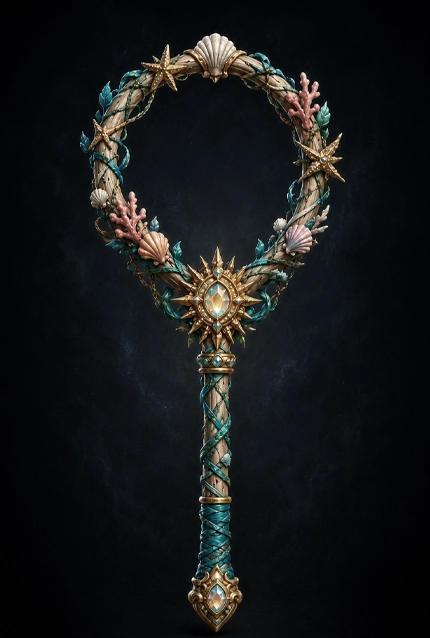
The Suncrest Catcher will be the first cosmetic Net Skin released in Celestial Butterfly.
From August 1st, during the Beachnut Bonanza, open Coconuts using a Cocoblade for an ultra-rare chance to discover this exclusive tropical design.
Winning a Net Skin unlocks the reward for your account. The physical Net must then be collected in Second Life.
After winning a Net Skin, visit the Net Skin Reward Station at the Celestial Butterfly Headquarters to collect your cosmetic Net. Your reward will remain waiting for you until it has been delivered.
Everything you need to know before beginning your Net Skin collection.
Collect exclusive appearances, choose your preferred performance Net and make every hunt truly yours.