 Stumps Guide (Owner) - V2.0
 Stumps Guide (Owner) - V2.0
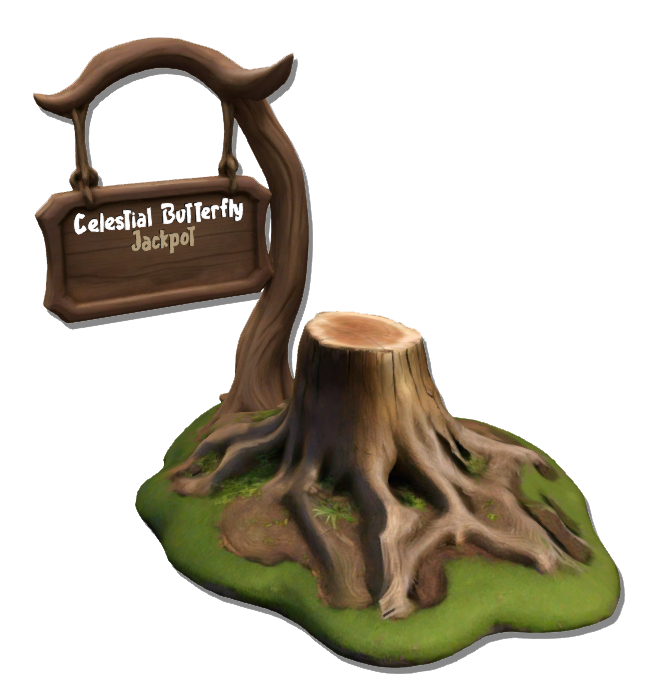
Stumps are the heart of Celestial Butterfly hunts and allow players to hunt butterflies. As a Stump Owner, you have an opportunity to generate regular active traffic on your land!
4 Stumps are available with each a different tax value (65%, 50%, 35% and 10%).
When you add funds to your stump, a tax is applied. For example for a 65% Tax Stump, if you add 50 L$ to your stump, 65% of this amount is deducted as tax for the creator of the Game.
To start your stump, rez it in your region. It will register in our system.
You will need to accept debit permission to activate your stump. Once rezzed and after accepting the debit permission, click on your stump to open the menu.
You can then view your budget and choose the desired multiplier (by default, it is set to x1).
Note that your stump is initially in "Off" mode. To activate it, add a budget.
Players can view your stump on the "Stumps Locations" Page on the Website. When you launch your Stump in an Event mode, all active players will be notified via a message in their HUD through local chat.
This lets them know that an event with your landmark is happening, facilitating direct teleportation to the Stump. Events can also be checked directly on the website.
The Stump information panel shows the current jackpot amount.
When the Stump is active (with sufficient budget), a butterfly appears on the panel — this butterfly can be customized by the owner.
If the Stump becomes inactive (insufficient budget), the butterfly will disappear.
When the Stump is active, you can customize this butterfly through the [Butterfly] button in the Stump menu.
There, you can choose between different species and wing combinations for your display butterfly.
The hover text above the Stump displays: the current Stump status (Active or Inactive), the active multiplier and the event timer, if one is running.
[Multiplier] Set a Multiplier
[Budget] Add Budget
[Butterfly] Change Butterfly Status Indicator Design
[Profile] Access your profile to manage your stump
[Reboot] Reboot yoru Stump if something goes wrong
[Update] Update your stump when necessary (retrieve data from an older stump)
To add a budget, click the "Budget" button. You will be prompted to pay to add a predefined budget to the stump. Once the budget is added, the stump goes into "On" mode, and butterfly collectors will start gathering butterflies on your sim, which is an excellent way to generate traffic while having fun.
The Owner also accumulates points based on the activity and success of their stump. The more points you have, the higher you rank on the list.
Each Stump has a Level that represents its progression.
The more it’s used by hunters, the more XP (Experience Points) it earns, allowing it to level up.
When it reaches a new level, Stump Owner receives rewards.
Whenever a Stump reaches a new level, Its Stump Budget automatically increases by the reward amount in L$ and The owner receives Lumen Points (LP), a special prestige currency used to purchase Stump decorations.
Additionally, the Stump Level grants the Owner access to more wing designs for the Status Indicator Butterfly.
A congratulatory message is sent directly to the owner:
"🏅 Your Stump has reached Level X! Reward ⇨ +XX L$ in Stump Budget and +X LP credited!"
What are Lumen Points (LP)?
Lumen Points are a unique type of reward earned through Stump progression.
They are used to obtain Exclusive decorative items for your Stumps (a dedicated Store at HQ will be available soon)
The higher your Stump Level, the more Lumen Points you earn, showcasing your dedication and allowing you to personalize your Stump in truly celestial style!
To adjust the multiplier, click the "multiplier" button. You can choose from several multipliers: x1, x2, x3, x4, x5 to x10. When an event is launched, the multiplier is locked for 30 minutes to prevent abuse. Respect the players visiting your sim and use the events as a means for them to earn L$.
After this 30 minutes period, you can change the event multiplier. You can also choose the duration of the event, with several options available.
For example, if you choose 2 hours in x2, the event will stay in x2 for 2 hours, then automatically switch to x1.
The event countdown appears directly in hover text above the Stump, allowing players to see the remaining time in real time.
You also have the option to leave an event running continuously.
As a bonus, butterflies will emerge from your stump.
Additionally, a Jackpot accumulates as players collect butterflies. This Jackpot is linked to all stumps on the grid and is paid by Celestial Butterfly, so no debit is taken from your Second Life account.
We have introduced an advanced feature called "Update" in the Stump Menu. This option is used to update the stump. To start, click on your stump for 3 seconds to receive the new version from CasperTech. Accept the new stump to complete the update. The old stump will be automatically deleted, which is normal since the product is non-copyable. Once the update is complete, rez the new stump on your land and accept debit payments as usual. Then, click on the "Update" Button in the STump Menu and follow the instructions to select and validate the stump to be updated. You can check the stump IDs on the site or in the description of your stump via the right-click menu → edit → description, or on your personal account page in the "Stump Beacon" section.
By connecting to the Celestial Butterfly website via the game Hud or the [Profile] button on the Stump Menu, you have the possibility to access the Stumps & Beacons page.
From this page you can see the different stumps that you own, its statistics and you can also rename it and enter the information of the region in which it is located.
For any assistance or advice, do not hesitate to contact a team member or join the Celestial Butterfly group.